

The holiday season is a wonderful time to spread joy and cheer, and one way to do that is by adding a festive touch to your email signature. A Christmas-themed signature can leave a lasting impression on your recipients and add a touch of holiday spirit to your communications. In this article, we will explore some key elements that can make your Christmas signature stand out, as well as some things that are not necessary.
1. Essential Elements
When creating a Christmas-themed signature, there are a few essential elements that should be included. Firstly, incorporate a festive image or icon, such as a Christmas tree, snowflake, or a Santa hat, to bring the holiday spirit to your signature. This distinctive mark will catch the eye and make your signature stand out. Additionally, include your name, title, and contact information to ensure that your recipients can easily identify you and reach out if necessary.

2. Personalization
Adding a personal touch to your Christmas signature can make it more meaningful and memorable. Consider adding a Christmas quote or a short holiday message that expresses your warm wishes. This personalization can enhance the connection with your recipients and create a positive impression of your business or brand. Make sure the message is heartfelt and aligns with the festive spirit of the season.

3. Keep It Simple and Professional
While it’s important to bring in the holiday spirit, it’s equally important to maintain professionalism in your Christmas signature. Avoid going overboard with excessive graphics, animations, or distracting elements. Keep the design and layout clean, simple, and easy to read. Use colors that are associated with the holiday season, such as red, green, or gold, but ensure they complement your overall branding. A balanced and professional Christmas signature will leave a lasting impression.

4. Authentic Elements
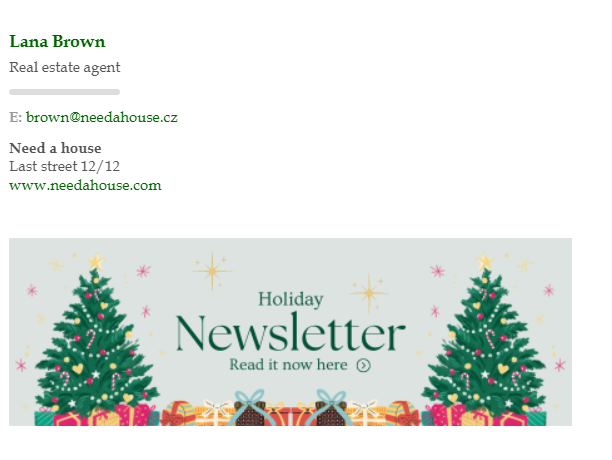
Ensure that your Christmas-themed signature reflects your authenticity as a business or individual. Use authentic and genuine words to express your holiday greetings and good wishes. You may use banners to retain your current signature and simply add a banner wishing everybody happy holidays and as a bonus share your Xmas sales as well. In this case, you can increase your marketing engagement by creating leading links.

5. Ensuring Compability
While it’s tempting to create a visually impressive Christmas signature, it’s essential to consider its compatibility across different email clients and devices. Test your signature on various platforms to ensure it displays correctly for all recipients. Use standard fonts and avoid using excessive images or HTML coding that may cause compatibility issues. By ensuring compatibility, you can effectively spread holiday cheer to all your email recipients.Our tool will help you with it, so everything will run smoothly. For more information about this issue that may come up look at our previous article.
In conclusion, creating a Christmas-themed signature can be a fun and festive way to add a personal touch to your holiday communications, especially with the SignatureSatori tool. By incorporating essential elements, personalizing your message, keeping it professional, and ensuring authenticity and compatibility, you can create a remarkable and impressive Christmas signature. Remember, a well-crafted Christmas signature can signify your holiday spirit and leave a positive and lasting impression on your colleagues as well as clients. If you would have any issues during the change process do not hesitate to contact us at our Help Center.