

Group based Automation, G Suite Data Sync for Credits and several small improvements
What is Group based Automation?
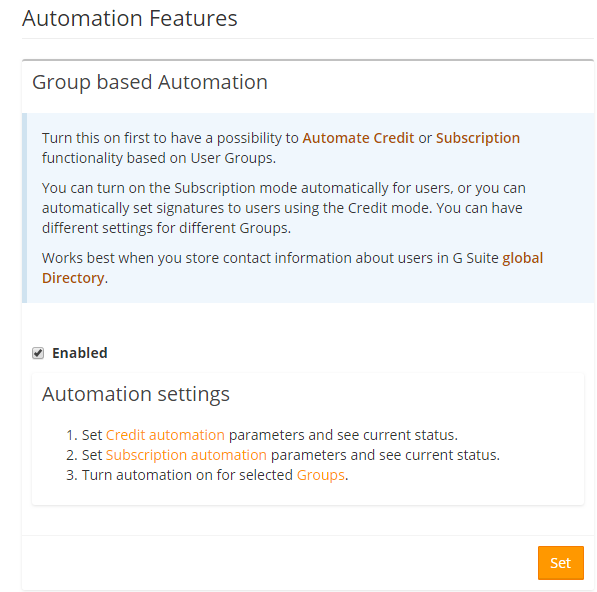
This feature will save you time and effort in keeping the signatures up to date. If you put it together, you won’t have to spend time with new or moved users.
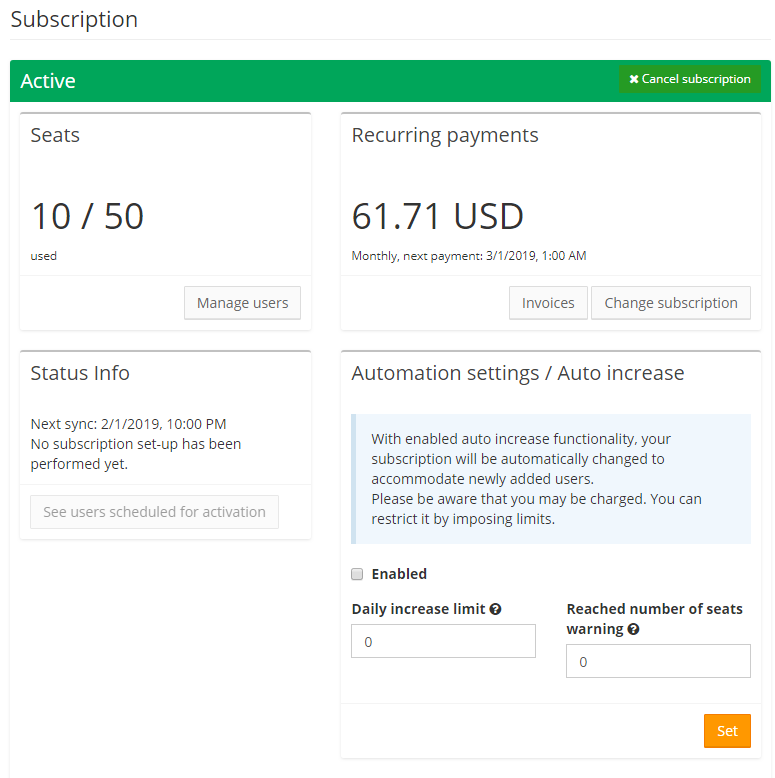
Example: Company XYZ uses Subscription and has a big employee turnover. The administrator needed to enter new employee’s data to Google Workspace (G Suite), synchronize them to SignatureSatori and manually add them to Subscription. If they ran out of Subscription seats, he needed to purchase more. With Subscription automation, the administrator can set up his system to automatically synchronize the new user to SignatureSatori, automatically include him into Subscription and automatically apply his signature. He can even set an automated purchase of the Subscription seats if necessary!
This feature serves best to organizations with
This function works both with the Credit and Subscription mode.
How does Subscription automation work?
If you enable Subscription automation for all (or even just selected) User Groups, the new users in these User Groups (whether completely new or moved there) will be automatically subscribed for a seat in the Subscription and their signature, therefore, will be set and kept up to date in the future.
What about automating users in Credit mode?
New or moved users can have their signature set even if you don’t want them included in Subscription. As long as you enable Credit Automation, their signatures will be updated upon being added to SignatureSatori (or moved to a User Group that has Credit Automation activated). You can do that even if you don’t use Subscription!
So… How can I enable Credit Automation even if I don’t want to use Subscription?
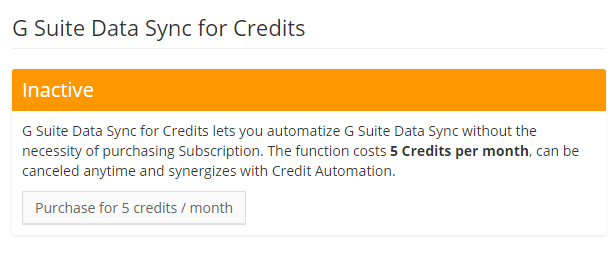
There’s a new feature that does that called G Suite Data Sync for Credits. Enabling this feature for 5 Credits a month will (as the name suggests) synchronize the data from Google Workspace (G Suite) to SignatureSatori.
That sounds great but what about…
Do you miss anything in SignatureSatori? Is there something that will make your life easier? Let us know, we value your feedback!